macOS · Windows 11 · Apple Silicon · Intel · x64 · ARM64
Your Mac and your PC. One Dock.
PrimoDock is now on Windows. Workspaces, widgets and themes in place of the Dock and the taskbar, with a lifetime licence that activates on 1 Mac and 1 PC.
Free for 7 days, no card. One payment, no subscription.
macOS Snowy Night themeWindows 11 Music playing, calendar, weather and activity
2 systemsmacOS and Windows 11
31 widgetsalive inside the Dock
1 Mac + 1 PCon the same licence
7 daysto try, no card
Why PrimoDock
The Dock your computer should have had.
A native app on each system, light and fast, that swaps the Mac Dock and the Windows taskbar for the same thing.
A Dock for every workspace
Work, home, focus: each workspace with its own apps and its own windows. Switch with a shortcut, the mouse wheel or the dots on the bar, on the Mac and on the PC. On the Mac, turning on a Focus switches workspace by itself.
Widgets that open
Calendar, weather, music, battery, Claude usage. They sit on the bar like an app and, with a click, open a panel with the rest.
Themes that change with the season
Liquid Glass, Paper, Neon and the Halloween and Christmas ones, with snow, bats and fairy lights. The same on both systems.
Start, right where it was Windows only
On Windows, Start opens Windows' own, and battery, network and sound sit in the Dock with the tray. Coming from the taskbar, nothing is missing.
Icons your way
Ready-made icon packs in the Gallery, one click away, and IconStudio to draw your own. The same packs on the Mac and on the PC.
A pet on your bar
A cat, a dog, a dragon or a little ghost. It runs when the computer is busy and naps when it is quiet.
Why it exists
Your work Dock is not your home Dock
One workspace for work, one for study, one for the weekend project. Each with its own pinned apps and widgets. Switch, and the other workspaces’ windows get out of the way, then come back when you do.
Work
Editor, terminal and the team chat. A pomodoro timer and the day ahead.
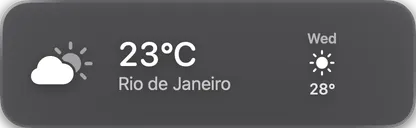
24°Rio de Janeiro
Study
Browser, notebook and a clock. No mail around to take your attention.
51%2h 36
Weekend
Photos, music and the side project. Work does not show up here.
Every workspace, its own Dock
Pinned apps, order, widgets and theme, per workspace. No more one Dock with thirty icons.
Windows follow the workspace
Opened Figma on the project workspace? It stays there. Switch away and it steps aside without closing.
One click to switch
From the menu, from a hotkey, or along with the macOS Spaces you already use.
Follows your Focus
Turn on the Work focus and your work workspace comes along by itself.
Widgets
Living things inside the Dock
Not icons that launch an app. Tiles that draw their state right in the Dock and open a native panel when you click.
24°Rio de JaneiroGarota de IpanemaJoão and Astrud7,879this year
Each widget lives in the bar itself: a square when it is one number, a wide card when it has more to say.
App collections
One icon holding a whole group. Opens as a grid or a list.
Shortcut
Runs any shortcut from the Shortcuts app.
Bookmarks
The sites you open every day, one click each.
Files
Downloads, or any folder you pick: what landed last and how many are new.
Shelf
Somewhere to park files halfway through a drag and pick them up later.
AirDrop
Drop files on it to send them.
Clock
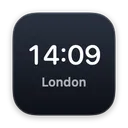
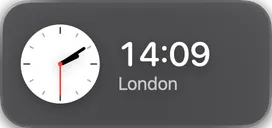
Your time, or another city’s. Digital or with hands.
Stopwatch
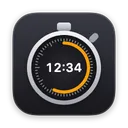
Counts up, with laps.
Timer
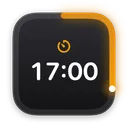
A countdown with the progress ring drawn on the icon.
Pomodoro
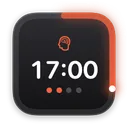
Focus, short break, long break. The day’s cycles marked on the tile.
Countdown
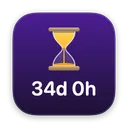
How many days until the date that matters.
Time progress
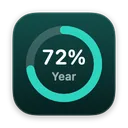
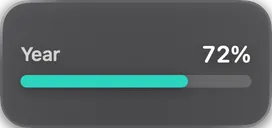
How much of the day, week, month and year is gone.
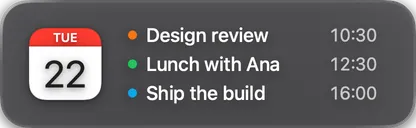
Calendar
Today’s date on the icon, what is next on the card, the whole day in the panel.
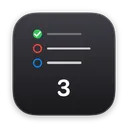
Reminders
What is due first, without opening the app. Tick it off right there.
Note
A message that stays in the Dock.
Music
What is playing, with the controls. Music and Spotify.
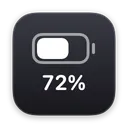
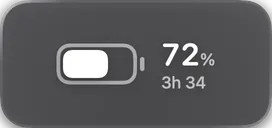
Battery
The charge, and how long it should last.
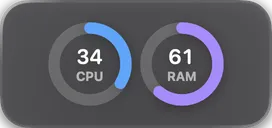
Activity
Processor and memory in use, live.
Fans
How fast the fans are turning, and one click to pin them at maximum or hand them back to macOS.
Network
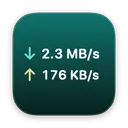
What is going up and down right now.
Colour picker
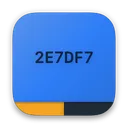
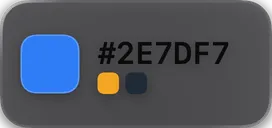
Pick any colour off the screen. The code goes to the clipboard and the last few stay on the tile.
Clipboard
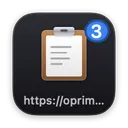
A history of what you copied, with pins. Text, images and files.
Emoji
The ones you use most, one click away. With skin tones.
Screenshots
Your latest captures, ready to drag wherever they need to go.
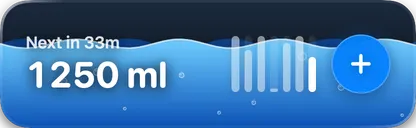
Drink water
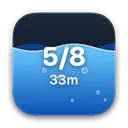
One glass at a time, the day’s goal, and the week on the card.
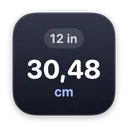
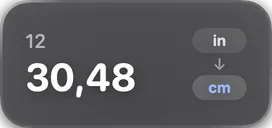
Converter
Length, mass, temperature, data. Type on one side, read the other.
Keyboard Lock
One click locks the keyboard, trackpad and mouse, so you can clean without typing anything.
Pet
A creature that sits when the computer is idle, walks when it works and runs when it is busy. Cat, dog, bird, dragon, dinosaur or warrior.
Claude usage
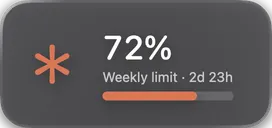
How much of your Claude plan is gone, and when it resets.
GitHub
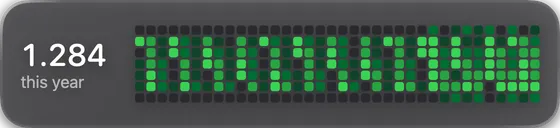
The PRs waiting on you, yours with their check status, and the year of contributions.
Weather
The forecast for the city you pick, with what it feels like.
Eight themes, six seasonal ones, then yours on top
Glass like the native one, a RocketDock-style 3D shelf, neon, paper. For Halloween and Christmas, themes with lights, bats and snow. Plus size, indicator, hover effect and opening animation to taste.
51%2h 36Garota de IpanemaJoão and Astrud
51%2h 36Garota de IpanemaJoão and Astrud
51%2h 36Garota de IpanemaJoão and Astrud
51%2h 36Garota de IpanemaJoão and Astrud
51%2h 36Garota de IpanemaJoão and Astrud
51%2h 36Garota de IpanemaJoão and Astrud
51%2h 36Garota de IpanemaJoão and Astrud
51%2h 36Garota de IpanemaJoão and Astrud
51%2h 36Garota de IpanemaJoão and Astrud
51%2h 36Garota de IpanemaJoão and Astrud
51%2h 36Garota de IpanemaJoão and Astrud
Seasonal
The macOS glass, exactly as it is. It is where the app starts.
Dark glass over any wallpaper, with a light edge.
Deep gradient, blue edge, glow, and a reflection under every icon.
The 3D shelf: icons stand on it, and it narrows towards the back.
Black, pink edge, cyan glow. Corners all the way round.
Yellow into green with a blue edge. Brazilians need no caption.
Nearly white, quiet edge, short corners. It disappears on a light wallpaper.
No bar at all: the icons sit loose on the desktop, reflections and all.
Purple and orange, bats in flight, cobwebs with a spider in the corners and pumpkins on the string of lights.
Ghostly green, rising fog, slime dripping off the edge and little ghosts in place of the lights.
Cream and orange, leaves falling and piling on the edge, and sweets all round the bar.
Pine green, a gold edge, snow falling and settling on top, and coloured fairy lights.
The blue of a cold night, falling snow and warm lights in whites and golds only.
White with a striped candy-cane outline, snow on the edge, and red and green lights.
DÍA DE LOS MUERTOSends in
Get PrimoEngine and CleanUai too.
The Dock you already know, plus 105 wallpapers (51 animated) and a cleaner for your Mac. All three apps, lifetime. Dock and Engine run on your Mac and your PC; CleanUai for Windows is out Monday, Nov 2.
Not sure which PC you have? Open Settings › System › About and look at "System type". The Windows installer is not signed yet, so SmartScreen may warn you: click "More info" and then "Run anyway".
How it works
From download to Dock in a minute.
01
Install it your system’s way
On the Mac, drag it to Applications. On Windows, run the installer, no administrator needed. A tour shows your own Dock the first time it opens.
02
Set up your workspaces
Drag apps into each workspace, add the widgets you use and pick a theme. Everything can change later, in Settings.
03
Forget the old bar
PrimoDock updates itself in small packages. Quit it and the Mac Dock or the Windows taskbar come back as they were.
What changes from one system to the other
macOS
Windows 11
Replaces
The macOS Dock
The taskbar
Start button
macOS's Launchpad
Opens Windows' Start, first in the Dock
Battery, network, sound
In the menu bar
In the Dock, with the system tray
Workspaces
Follow macOS Focus
Ctrl+Alt+number from any app
Several monitors
The Dock stays on its own screen, even with stacked screens and auto-hide
Updates
Automatic
Automatic, no administrator needed
Lifetime licence
US$ 9.99 once, for 1 Mac and 1 PC
Price
7 days free. Then US$ 9.99, once.
No subscription and no account. Pay once and use it on your Mac and your PC, with a year of updates on both.
Trial
PrimoDock
US$ 0for 7 days
Everything unlocked: workspaces, widgets, themes and pet
US$ 9.99one payment · Paid once, in US dollars, by card.
Active on 1 Mac and 1 PC at the same time
A year of updates on both systems
Move to a new computer whenever you like
The version you have keeps working forever
14-day refund, no questions
Once you pay, the key shows on screen and goes to your e-mail. Use the same key on the Mac and the PC.
PRIMODOCK//LIC_BUNDLEREGION: WORLDSTATUS: AVAILABLE
GROUP_PURCHASE_PROTOCOL // 2 A 10 UNIDADES
// COMPRE_EM_BANDO
Everyone pays less
Bring whoever you like. The discount applies to every licence in the purchase, yours included, and each person gets their own key by email.
5% to 15%the more licences, the bigger the discount, up to 10 licences
[ 01 ]
Pick how many
The discount shows up right away, before you pay.
[ 02 ]
Type the emails
One screen, after the purchase. Nobody signs up for anything.
[ 03 ]
Each gets their own
The key arrives in each person's email, ready to activate.
Every licence in the group is whole, belongs to one person and is active on 1 Mac and 1 PC, with a year of updates, same as a single one.
FAQ
Before you buy
What is PrimoDock?
An app that replaces the Mac Dock and the Windows 11 taskbar with a Dock that has workspaces, live widgets and themes. One native app on each system, looking the same on both.
How much does PrimoDock cost?
US$ 9.99 once, no subscription, with a year of updates. The licence is lifetime and activates on 1 Mac and 1 PC. Before that you get 7 days free, no card.
Which Mac and which Windows does it run on?
On a Mac with macOS 14 Sonoma or newer, Apple Silicon or Intel. On a PC with Windows 11, Intel, AMD or ARM (Snapdragon X).
Do I need an account? Does the app collect my data?
No account, and the app has no telemetry, no usage statistics and no tracker. It only goes online to activate the licence, check for updates and, if you use the widget, fetch the weather for the city you picked.
Does one licence cover the Mac and the PC?
Yes. The same key activates PrimoDock on one Mac and one PC at the same time. To move computers, free the old one in the app or on the licence page and activate the new one.
I bought it for the Mac. Do I pay again for Windows?
No. Install it on the PC, open Settings › Licence and use the same key.
I have two Macs. Do I need two licences?
Yes. One licence is active on one Mac and one PC. Two Macs at the same time take two, and buying them together gets the group discount: just use a different e-mail for each key.
Can I share a licence with a friend?
No. A licence belongs to one person. To buy together with someone, use the group buy: each of you gets a key in your own inbox, and it costs everyone less than splitting one.
Which Windows installer do I download?
Open Settings › System › About and look at "System type". "x64-based processor" is x64; "ARM-based" is ARM64. If in doubt, x64 fits most PCs.
Windows shows a SmartScreen warning. Is it safe?
The installer is not digitally signed yet, so Windows warns you. Click "More info" and then "Run anyway".
What if I want the Dock or the taskbar back?
Just quit PrimoDock: the Mac Dock or the Windows taskbar come back exactly as they were, even if it closes unexpectedly.
What happens when the year of updates ends?
Nothing. The app keeps working forever on the version you have. If you want new versions after that, it is a cheap renewal, never a subscription.
Is it on the App Store or the Microsoft Store?
No. The stores’ sandbox forbids what PrimoDock has to do to draw its own Dock. So it is sold directly, with updates inside the app.
What if I do not like it?
You get 7 days to try it before paying, no card and no account, and a 14-day refund afterwards, no reason needed.
Do I get a receipt?
Yes, the receipt goes to your e-mail right after the purchase.
Swap the Mac Dock and the Windows taskbar for the same thing.